'/%3E%3Cpath fill='%23DDE3FF' d='M54 17H14.5a4.5 4.5 0 0 0 0 9H54ZM32 36H14.5a4.5 4.5 0 0 0 0 9H32Z'/%3E%3Crect x='34.5' y='31.5' width='6.5' height='18' rx='3.25' fill='%23FFB547'/%3E%3C/svg%3E) HoldFn
Home
Rephrase won’t drop a time, an amount or a name
AI-assisted, editorially reviewed ·
Rephrase is the newest Pro feature in HoldFn 1.2.20. Pause at the end of a take and say “rephrase”, “as email” or “shorter”, and a language model tidies what you said before it is typed. You can also hold a second key while you dictate, ⌥ by default, and say nothing extra at all.
A tidy sentence is no use if the meeting time fell out of it. Small language models do this. Asked to smooth a rambling take, they now and then smooth away the one detail that mattered. So HoldFn checks every rewrite against what you said. If a fact is missing, it types your own words instead.
What counts as a fact
The check runs on your Mac, on every rewrite, and looks for four kinds of thing in your take:
- Numbers, in digits or in words. “12,400”, “€12400” and “twelve thousand” all count.
- Times, including spoken ones like “quarter to four” or “halb drei”.
- Dates: weekdays and months, in English and German, with their short forms.
- Names. In English, any word capitalised in the middle of a sentence, apart from “I” and a few words like “OK” and “Thanks”. German capitalises every noun, so in German a name only counts after a title: Herr, Frau, Dr.
Every one of them has to be in the rewrite. A rewrite that adds a number or a name you never said fails too. If you asked for “shorter”, names may go. Numbers, times and dates must stay.
The rewrite may change how a fact is written. “halb drei” can come back as “14:30”, “3.200 Euro” as “3200 €”, and “twelve thousand” as “12,000”, and each still counts as kept. A form the check does not recognise counts as lost. When it can’t tell, you lose the polish and keep the fact.
What you see when it steps in
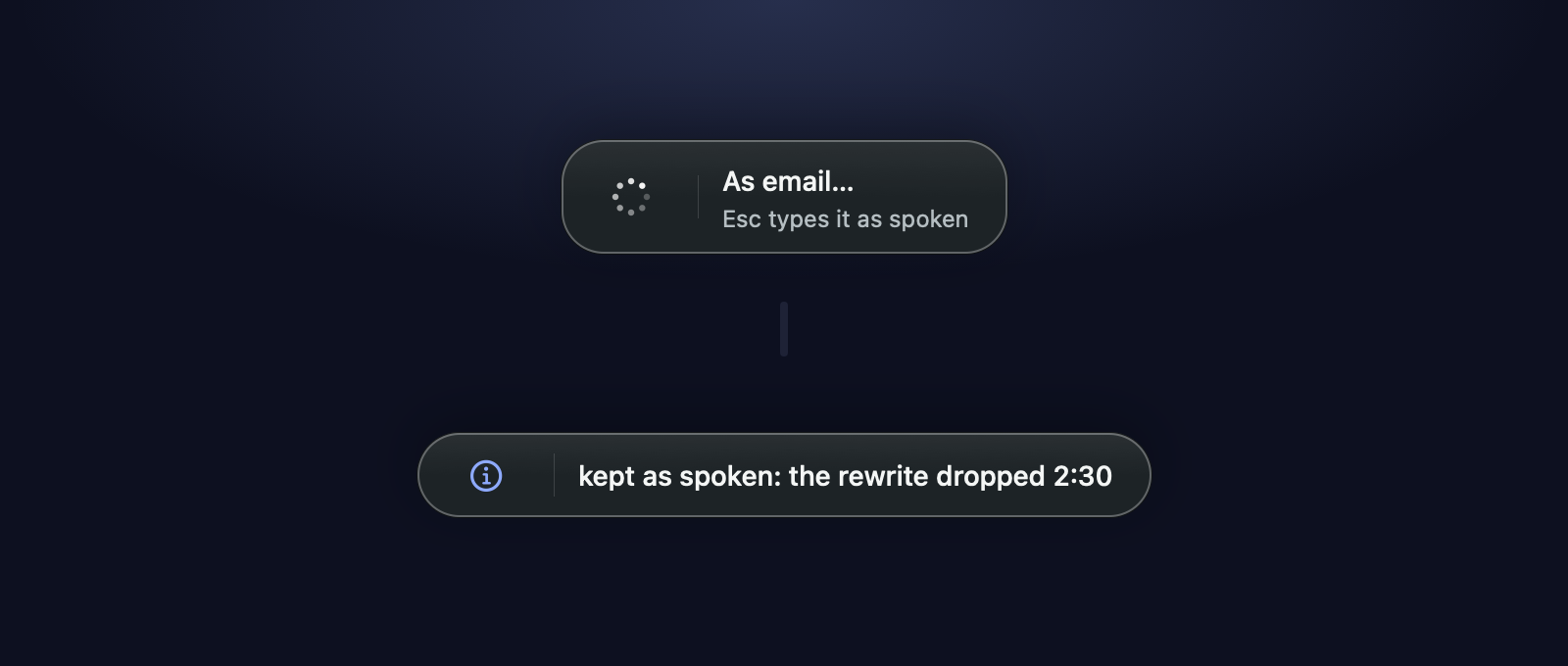
When a fact goes missing, HoldFn types the take as you said it. The overlay then names the first fact that was lost: “kept as spoken: the rewrite dropped 2:30”. If the model made one up, the note says “added” instead.
The same thing happens whenever a rewrite fails for another reason:
- the model takes longer than you allowed (15 seconds by default; Settings › Dictation › Rephrase offers 10 to 60)
- it can’t run on this Mac
- it declines, sends back nothing, or runs out of room before it finishes
Each time, the take is typed as spoken, and the overlay says why. While it shows “Rephrasing…”, Esc types your words at once instead of waiting.
Nothing is lost along the way. Copy Last Transcript always has what you said, not the rewrite, and text you had already typed is never touched. The app’s log records how many facts were missing and of which kind, never the words.
What it does not catch
The check is about facts, not meaning. If a rewrite turns “we might ship on Thursday” into “we will ship on Thursday”, Thursday is still there, so the rewrite passes. It does not judge tone either.
It also can’t fix what speech recognition got wrong first. Rephrase works on the transcript, so a misheard name is checked as misheard. Read what was typed before you send it. That was true before Rephrase, and it still is.
Where the rewriting happens
By default, Rephrase uses Apple’s on-device model, and the text stays on your Mac. If you prefer a model of your own, choose a text model from your oMLX server in the same settings. Then the text of each take you rephrase goes to that server, and only there. The check runs on your Mac either way, on the rewrite that comes back. The transparency page lists that case with the app’s other network connections.
Trying it
Rephrase is part of HoldFn Pro, so it is in the 30-day trial you get when you first open the app. No account, no email, no card. Settings › Dictation › Rephrase has the words, the key, the model and the timeout, and changes apply from your next take. Say the word after a pause: said mid-sentence, as in “send me the invoice as an email”, it is typed as a word like any other.